Your order number is shown in several places. Check them in this order:
1. Order Successful page (immediately after purchase)
Right after completing your purchase, your order number is shown on the Order Successful page. This is the easiest place to find it.
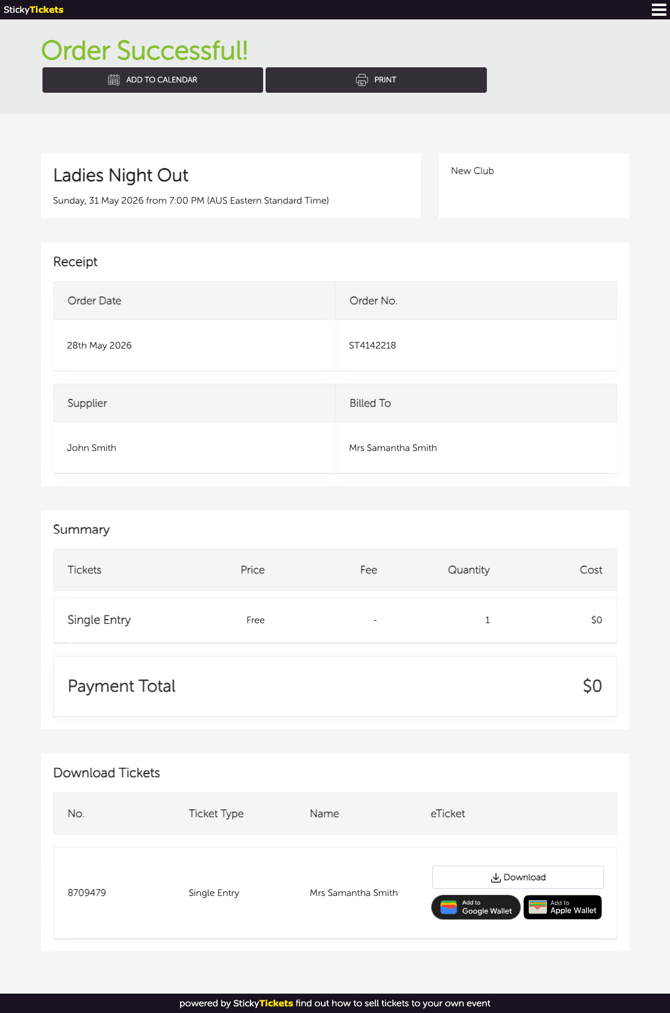
This page is only available once. Once you navigate away, the Order Successful page cannot be accessed again and the link expires. Before leaving, note your order number or take a screenshot — you will need it to look up your order later.
2. Confirmation email
A confirmation email is sent to the address you entered at checkout. Your order number is displayed in the email subject line and body.
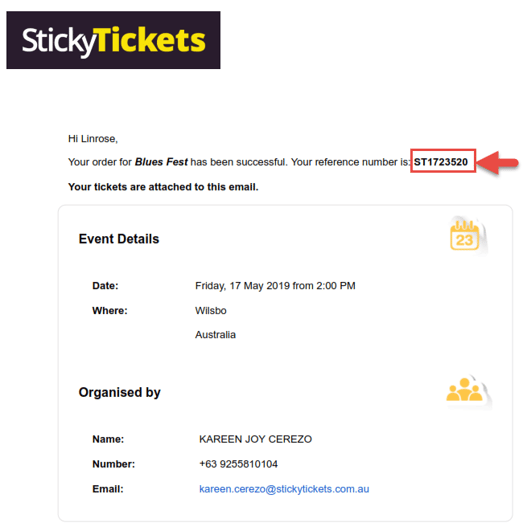
Can't find the email? Try:
- Checking your spam or junk folder
- Searching your inbox for "Sticky Tickets" or the event name
- Checking the email address you used at checkout — if you have multiple email accounts, check each one
3. Receipt (attached to your confirmation email)
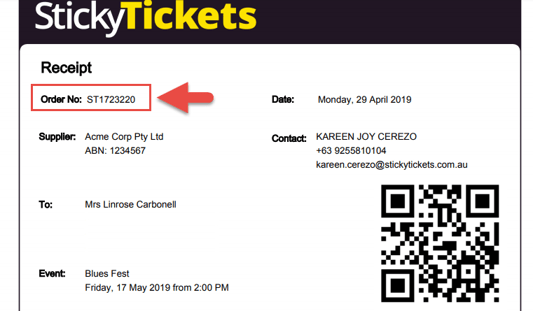
Your receipt PDF is attached to the confirmation email. Your order number is printed at the top of the receipt.
4. My Tickets page (if you have an account)
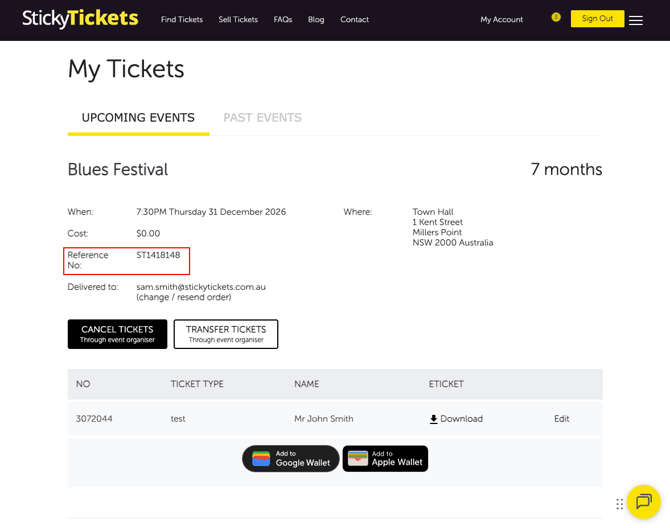
If you have a Sticky Tickets account, all your order numbers are saved in My Tickets.
- Go to stickytickets.com.au and click My Tickets.
- Sign in to your account.
- Find the event — your order number is listed on the order.
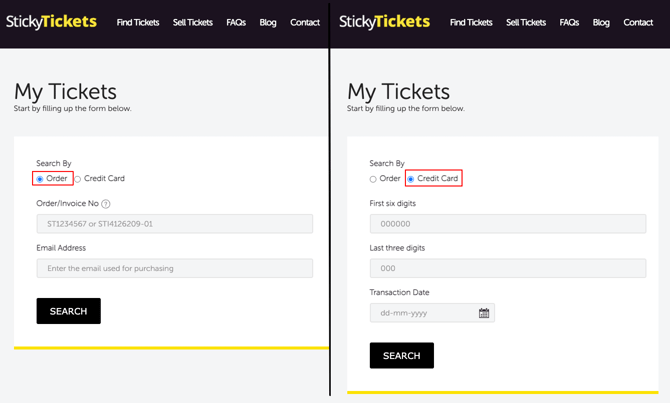
5. My Tickets guest lookup (no account or email needed)
If you purchased as a guest and can't find your confirmation email, you can look up your order using your credit card details.
- Go to the My Tickets page.
- Select the credit card lookup option.
- Enter the following details from the card used at checkout:
- First 6 digits of the card number
- Last 3 digits of the card number
- Transaction date
- Click Search. Your order number will appear with your booking details.
Most common questions
What does my order number look like?
-
Your order number is a unique reference code assigned to your purchase. It appears on your Order Successful page, confirmation email, and receipt. Your order number always starts with "ST" followed by 7 digits — for example, ST1418148. Look for this format in your confirmation email, receipt, or My Tickets page.
I've checked everywhere and still can't find my order number.
-
Contact our support team with your full name, the event name and date, and the email address you used at checkout. We can help locate your booking.
Do I need my order number to access my tickets?
-
Not always. If you have a Sticky Tickets account, your tickets are in the My Tickets page. If you're a guest, you can also look up your order using your credit card details — see option 5 above.
Need more help?
If you still can't locate your order number, contact our support team.