The shopping cart feature lets ticket purchasers add tickets from multiple events run by your organiser account and pay for them all in a single transaction. This saves ticket purchasers time and can increase ticket sales across your events.
The shopping cart is disabled by default and is managed at the organiser account level — not per event.
How to enable or disable the shopping cart
- Log in to your Sticky Tickets organiser account.
- Go to Organiser Settings → Shopping Cart.
- Tick the Enable Shopping Cart checkbox to turn it on, or untick it to turn it off.
- Click Save Changes.
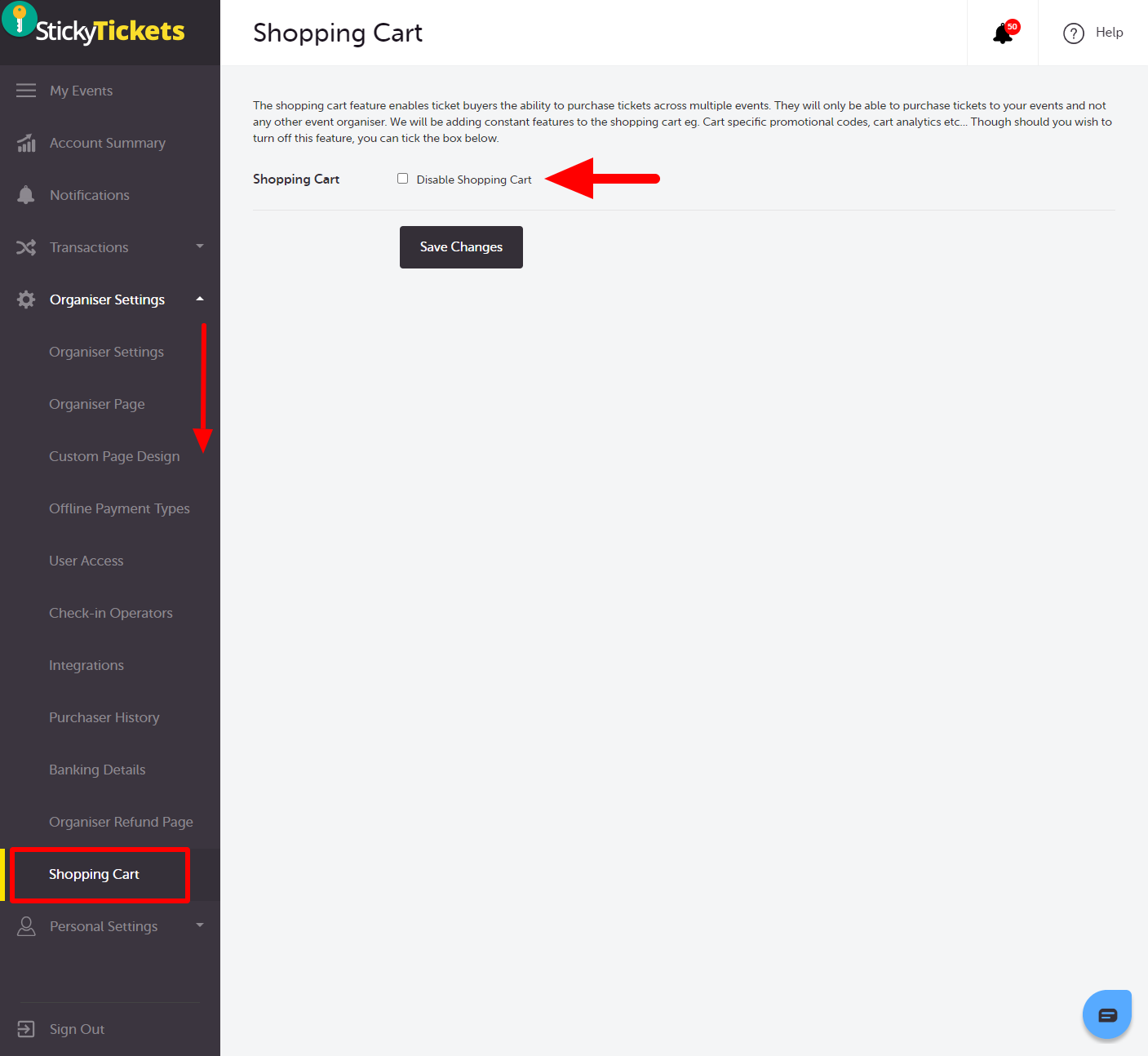
Once enabled, an Add to Cart button will appear on your event pages alongside the standard Proceed to Checkout button.
How it works for ticket purchasers
When the shopping cart is enabled:
- Ticket purchasers see an Add to Cart option on your event pages.
- They can add tickets from multiple events in your account to a single cart.
- They pay once for all items in the cart.
- The cart is specific to your organiser account — ticket purchasers cannot add tickets from a different organiser's events to the same cart. If they try, they will be prompted to clear their current cart first.
Cart timer: A reservation timer applies while items are in the cart. If the timer expires before checkout is completed, the tickets are released and the ticket purchaser will need to start again.
Most common questions
Does enabling the shopping cart affect all my events?
-
Yes — enabling the shopping cart applies to all events in your organiser account. There is no per-event toggle for this feature.
Can ticket purchasers use the cart to buy tickets from other organisers' events?
-
No — the shopping cart only works across events owned by the same organiser account. If a ticket purchaser tries to add a ticket from a different organiser's event, they will be prompted to clear their existing cart first.
Will existing ticket purchasers be affected if I disable the shopping cart?
-
Disabling the shopping cart removes the Add to Cart option from your event pages. It does not affect any existing orders or completed purchases.
Is the shopping cart available for all ticket types?
-
Yes — the shopping cart is available for all ticket types.
Need more help?
If you need help setting up the shopping cart, contact our support team.